Sunday, April 17, 2011

Final Project Proposal

For my final project, I will be illustrating The Secret Garden, a favorite story of mine that has fascinated me since childhood. I'll photographing Jess' little sister, Brooke, in the role of Mary. The first couple photographs will display Mary's sour disposition. These photos will be dark and grim. The next couple photographs will show her beginning to accept her new life and grow as a person. These photos will have a little more color and life in them. The final photo will portray Mary's new appreciation for life. This photo will be light and filled with color.
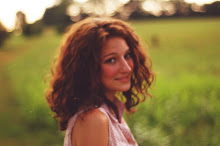
The challenges I will face with this project are locations/settings and costume. The book is set in the  English countryside around the early 1900s, and I would like the settings and costume to portray that as accurately as possible. I would like this project to illustrate Mary's growth, with the mood of the photos progressing from grim to whimsical.

Assignment #9 Postcards


Monday, April 11, 2011

Assignment #8 Portrait

Natural light:
Self-Portrait:
Outside:
Headshot:

Friday, March 25, 2011

Assignment #7 Texture/Pattern

Collage #1 : Texture- Cloth

 Collage #2 : Texture- Sweater/Knit cloth

Collage #3 : Texture- Outdoors

Collage #4 : Patterns

Sunday, March 20, 2011

Assignment #6 Color

Collage #1- Green

Collage #2- Birds

Collage #3- Red

Collage #4- Flowers

Sunday, February 27, 2011

Sunday, February 20, 2011

Assignment #3

Speed and Motion

Group #1- For this photo, I duplicated the background layer and set the blend mode to soft light. I also created a curves layer and a color balance layer.

Group #2- For this photo, I used four curves layers and a color balance layer.

Group #3- For this photo, I used two curves layers and a color balance layer. I also duplicated the background layer and set the blend mode to soft light.


Group #4- For this photo, I used two curves layers and a color balance layer.

Sunday, February 13, 2011

Assignment #2

Spacing and Lighting

Group #1- I added contrast to this photo with a curves adjustment layer. I also added a blue/yellow tint with a curves adjustment layer. I created a red/yellow tint with a color balance adjustment layer.


Group #2- I added contrast to this photo with a curves adjustment layer. I used multiple curves and color balance adjustment layers to deepen the red and yellow tones.


Group #3- I added contrast and brightness to this photo with a curves adjustment layer. I duplicated the background layer and added a curves adjustment to it. I cut out the window from the duplicated layer using marquee tool so that the window didn't get too bright. I also added a black and white adjustment layer.


Group #4- I edited this photo similarly to the first photo. I added contrast to this photo with a curves adjustment layer. I added a slight blue tint with a curves adjustment layer. I created a red/yellow tint with a color balance adjustment layer.

Friday, February 4, 2011

Assignment #1- Framing and Form

Group #1- For this photo, I used the gradient tool, and the clone tool to remove a twig. 

Group #2- For this photo, I used the rotate and crop tools, and the gradient tool to create a warm, sunny tone.

Group #3- I also used the rotate, crop, and gradient tools for this photo.

Group #4- For this photo, I used the gradient tool, and the clone tool to remove the chair from the background.